
Update README.md (Fix)
#1
by qpqpqpqpqpqp - opened
README.md
CHANGED
|
@@ -10,13 +10,13 @@ pipeline_tag: text-to-image
|
|
| 10 |
# Example images containing prompts and/or workflows for each model version are available on either CivitAI or in the folder labeled "Images" which are seperated by version
|
| 11 |
# NSFW Example images are only available on CivitAI
|
| 12 |
|
| 13 |
-
https://
|
| 14 |
|
| 15 |
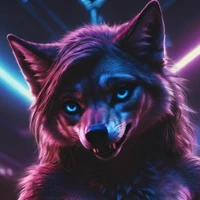
<img src="https://cdn-uploads.huggingface.co/production/uploads/6411f2531e42164b9f0facef/Eq0MPlI05qU5gAhZH7bgK.png" style="width:571px;height:1012px;"/> <sup>This image is only a thumbnail</sup>
|
| 16 |
|
| 17 |
-
This model and its
|
| 18 |
|
| 19 |
-
!!! If you
|
| 20 |
|
| 21 |
|
| 22 |
|
|
@@ -144,7 +144,7 @@ Initial release version.
|
|
| 144 |
|
| 145 |
# Recommended Settings:
|
| 146 |
|
| 147 |
-
TL:DR Its very simple, just prompt however you usually would for
|
| 148 |
|
| 149 |
I suggest using Euler A with Beta scheduler, or DPM++ 2m SDE with Karras scheduler (does not work with v-pred) at a CFG of 5-7 and steps of 20-50, but feel free to experiment. Not all schedulers and settings work for everyone.
|
| 150 |
|
|
@@ -163,7 +163,7 @@ And here is my suggested negative prompt:
|
|
| 163 |
|
| 164 |
(Negative prompt is no longer needed for quality images)
|
| 165 |
|
| 166 |
-
```worst quality, low quality, normal quality, monochrome, bad anatomy, ugly, (illustration, cartoon, anime), flat color, outline, smooth skin, blurry
|
| 167 |
|
| 168 |
|
| 169 |
|
|
@@ -205,7 +205,7 @@ Nobody using A1111 has actually expressed any issues. If you are having issues w
|
|
| 205 |
Here is a list of working Schedulers for **A1111**: https://civitai.com/posts/11757173
|
| 206 |
|
| 207 |
|
| 208 |
-
Some people have also been experiencing small VAE artifacts while using Reforge. This is likely due to your VAE settings not being set correctly. This model uses the default
|
| 209 |
|
| 210 |
|
| 211 |
|
|
|
|
| 10 |
# Example images containing prompts and/or workflows for each model version are available on either CivitAI or in the folder labeled "Images" which are seperated by version
|
| 11 |
# NSFW Example images are only available on CivitAI
|
| 12 |
|
| 13 |
+
https://civit.ai/models/1143097
|
| 14 |
|
| 15 |
<img src="https://cdn-uploads.huggingface.co/production/uploads/6411f2531e42164b9f0facef/Eq0MPlI05qU5gAhZH7bgK.png" style="width:571px;height:1012px;"/> <sup>This image is only a thumbnail</sup>
|
| 16 |
|
| 17 |
+
This model and its versions were merged for the sole purpose of finally having a decent out of the box consistent Realism model based on Noob. The "HD" and "V-Pred" versions are made for higher resolution raw gens and upscaling.
|
| 18 |
|
| 19 |
+
!!! If you have problems, noisy images, or prompt issues, please, scroll down to *"Common Problems"* !!!
|
| 20 |
|
| 21 |
|
| 22 |
|
|
|
|
| 144 |
|
| 145 |
# Recommended Settings:
|
| 146 |
|
| 147 |
+
TL:DR Its very simple, just prompt however you usually would for Noob, but add "realistic", and "photorealism" after your quality tags.
|
| 148 |
|
| 149 |
I suggest using Euler A with Beta scheduler, or DPM++ 2m SDE with Karras scheduler (does not work with v-pred) at a CFG of 5-7 and steps of 20-50, but feel free to experiment. Not all schedulers and settings work for everyone.
|
| 150 |
|
|
|
|
| 163 |
|
| 164 |
(Negative prompt is no longer needed for quality images)
|
| 165 |
|
| 166 |
+
```worst quality, low quality, normal quality, monochrome, bad anatomy, ugly, (illustration, cartoon, anime), flat color, outline, smooth skin, blurry```
|
| 167 |
|
| 168 |
|
| 169 |
|
|
|
|
| 205 |
Here is a list of working Schedulers for **A1111**: https://civitai.com/posts/11757173
|
| 206 |
|
| 207 |
|
| 208 |
+
Some people have also been experiencing small VAE artifacts while using Reforge. This is likely due to your VAE settings not being set correctly. This model uses the default SDXL VAE.
|
| 209 |
|
| 210 |
|
| 211 |
|