(Rubbing / Takbon)
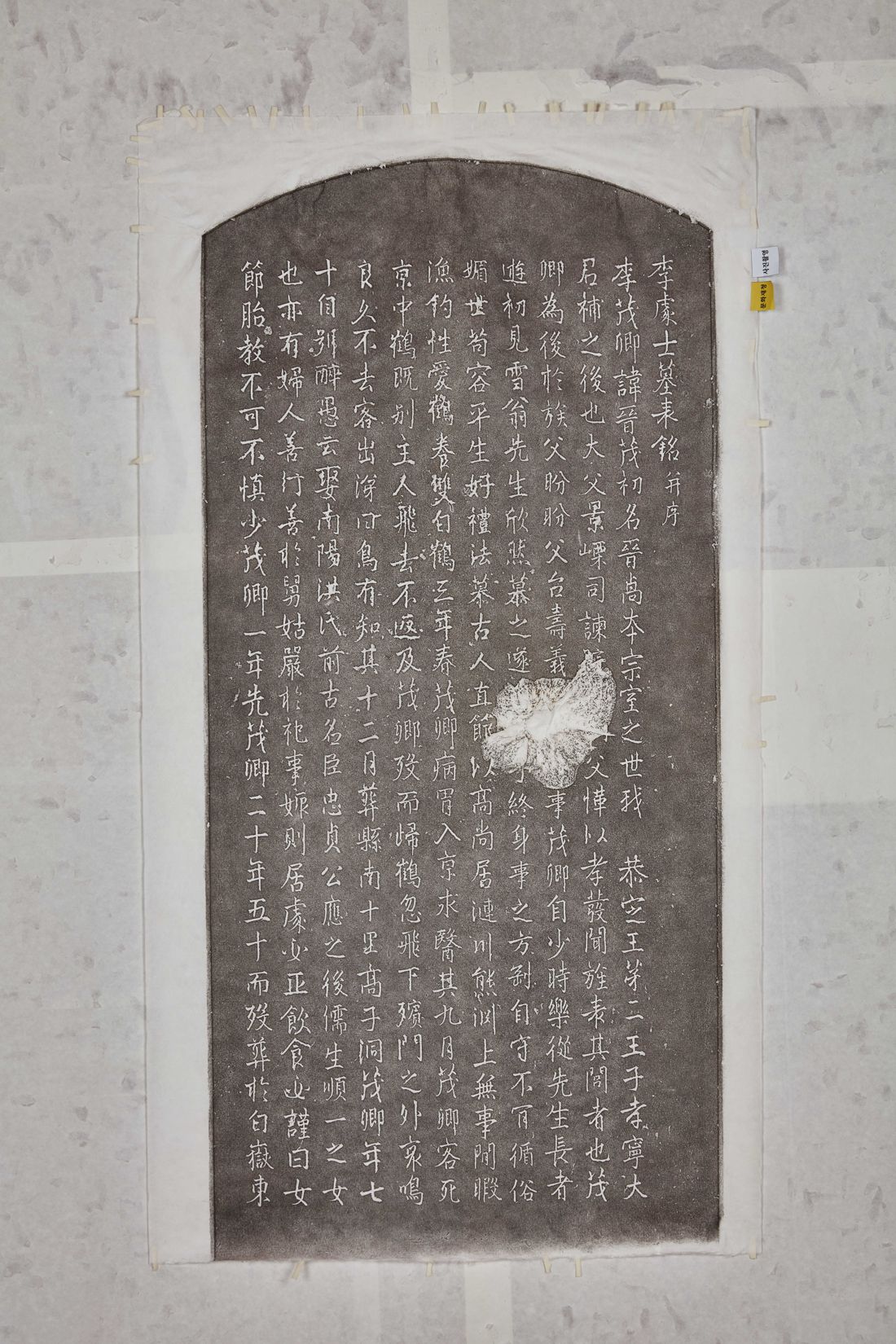
(Swin Input)

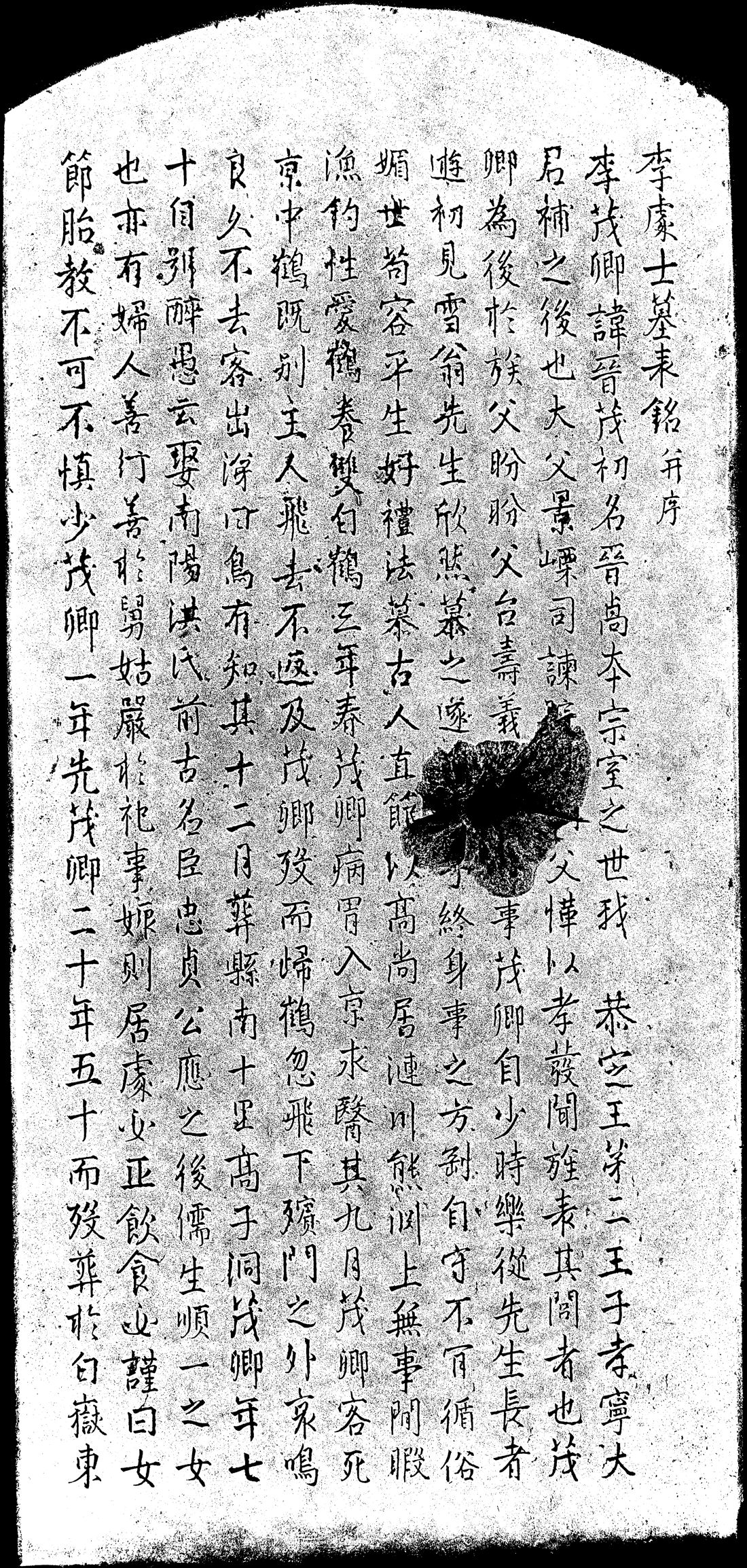
(OCR Input)
🔧 Setup | ▶️ Run | 🖼️ Examples | 📦 Outputs
**Pipeline:** Input → Preprocess (gray for Swin, binary for OCR) → OCR (auto) → JSON + BBox This repository provides a **damage-aware OCR pipeline specialized for Hanja rubbing (탁본) images**. The system integrates **Google Vision OCR** with **custom deep learning models** to robustly recognize characters under severe degradation commonly found in stone inscriptions and epigraphic materials. --- ## Table of Contents - [Overview](#overview) - [Requirements](#requirements) - [Google Vision API Setup](#google-vision-api-setup-required) - [Running the OCR](#running-the-ocr) - [Preprocessing and Intermediate Outputs](#preprocessing-and-intermediate-outputs) - [Final Outputs](#final-outputs) - [Why Specialized for Takbon](#why-this-ocr-is-specialized-for-rubbing-takbon-images) - [License](#license) - [Citation](#citation) --- ## Overview Hanja rubbing images differ significantly from modern scanned documents. They often exhibit erosion, ink bleeding, uneven backgrounds, and partially or fully missing characters. To address these challenges, this project combines: - Custom OCR models optimized for degraded inscription images - Explicit modeling of character damage - Layout-aware processing for vertical writing - Auxiliary use of Google Vision OCR for complementary recognition > ⚠️ **Google Vision OCR is not redistributed.** > Users must provide their own Google Cloud API credentials. --- ## Features - OCR ensemble: Google Vision OCR + custom OCR models - Damage-aware character tokens: `[MASK1]`, `[MASK2]` - Column-wise output for vertically written inscriptions - Structured JSON OCR output - Bounding box visualization for inspection - Fully automated preprocessing → OCR pipeline --- ## Repository Structure ```text EpiText-Hanja-OCR/ ├─ assets/ # README example images ├─ dong_ocr.py # Main execution script ├─ ai_modules/ # OCR engine, preprocessing, model definitions ├─ weights/ # Model weights (and user-provided API key) ├─ requirements.txt └─ README.md ``` --- ## Requirements - Python 3.9+ - PyTorch - Google Cloud Vision API credentials Install dependencies: ```bash pip install -r requirements.txt ``` --- ## Google Vision API Setup (Required) This project requires a **Google Vision API service account JSON file**. ### Step 1. Create Google Cloud credentials 1. Go to **Google Cloud Console** 2. Create or select a project 3. Enable **Cloud Vision API** 4. Create a **Service Account** 5. Generate and download a **JSON key file** --- ### Step 2. Place the JSON file in the `weights/` directory ```text weights/ ├─ best.pth ├─ best_5000.pt └─ google_key.json ``` ⚠️ **Do NOT upload this JSON file to GitHub or Hugging Face.** It must remain local to your machine. --- ### Step 3. Set environment variables #### Linux / macOS ```bash export OCR_WEIGHTS_BASE_PATH=./weights export GOOGLE_CREDENTIALS_JSON=google_key.json ``` #### Windows (PowerShell) ```powershell $env:OCR_WEIGHTS_BASE_PATH=".\weights" $env:GOOGLE_CREDENTIALS_JSON="google_key.json" ``` --- ## Running the OCR ```bash python dong_ocr.py path/to/image.jpg ``` Example: ```bash python dong_ocr.py assets/input.jpg ``` --- ## Preprocessing and Intermediate Outputs Before OCR inference, the input image is automatically preprocessed to generate task-specific intermediate representations. ### Preprocessing Examples|
Input Image (Rubbing / Takbon)
|
Grayscale Image (Swin Input)
|
Binarized Image (OCR Input)
|
 ---
## Why This OCR Is Specialized for Rubbing (Takbon) Images
- Ink bleeding and stone texture noise
- Partial or complete stroke erosion
- Non-uniform contrast
- Vertically arranged, tightly packed characters
### Design Choices
#### 1. Dual Image Representation
- Grayscale for detection
- Binarized for OCR
#### 2. Damage-Aware Modeling
- `[MASK1]`: fully missing
- `[MASK2]`: partially damaged
#### 3. Layout Preservation
- Column-wise processing
- Correct reading order reconstruction
#### 4. Auxiliary Google Vision OCR
- Used as a complementary OCR engine
- Requires user-provided credentials
---
## Model Architecture
- Text Detection: HRCenterNet-based detector
- Text Recognition: ResNet-based recognizer
- Auxiliary OCR: Google Vision OCR
---
## Limitations
- Requires external Google Vision API credentials
- Performance may degrade under extreme blur
- Not intended as an end-to-end HF inference widget
---
## License
MIT License
---
## Citation
```bibtex
@misc{epitext_hanja_ocr_2025,
title = {EpiText Hanja OCR: Damage-Aware OCR for Rubbing Images},
author = {donghyun95},
year = {2025},
howpublished = {Hugging Face Model Repository}
}
```
---
## Why This OCR Is Specialized for Rubbing (Takbon) Images
- Ink bleeding and stone texture noise
- Partial or complete stroke erosion
- Non-uniform contrast
- Vertically arranged, tightly packed characters
### Design Choices
#### 1. Dual Image Representation
- Grayscale for detection
- Binarized for OCR
#### 2. Damage-Aware Modeling
- `[MASK1]`: fully missing
- `[MASK2]`: partially damaged
#### 3. Layout Preservation
- Column-wise processing
- Correct reading order reconstruction
#### 4. Auxiliary Google Vision OCR
- Used as a complementary OCR engine
- Requires user-provided credentials
---
## Model Architecture
- Text Detection: HRCenterNet-based detector
- Text Recognition: ResNet-based recognizer
- Auxiliary OCR: Google Vision OCR
---
## Limitations
- Requires external Google Vision API credentials
- Performance may degrade under extreme blur
- Not intended as an end-to-end HF inference widget
---
## License
MIT License
---
## Citation
```bibtex
@misc{epitext_hanja_ocr_2025,
title = {EpiText Hanja OCR: Damage-Aware OCR for Rubbing Images},
author = {donghyun95},
year = {2025},
howpublished = {Hugging Face Model Repository}
}
```