


metadata
license: apache-2.0
NextStep-1: Toward Autoregressive Image Generation with Continuous Tokens at Scale
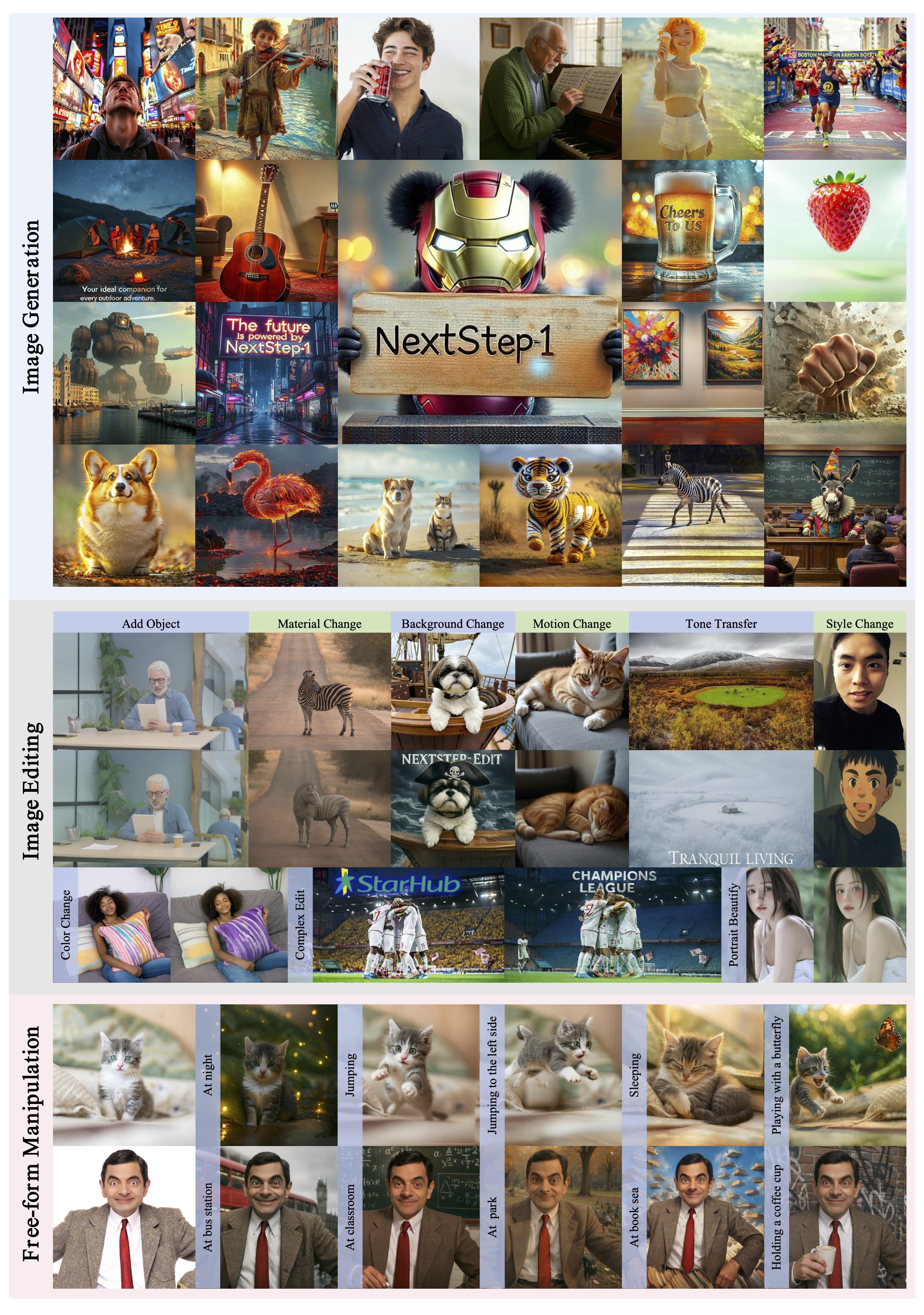
We introduce NextStep-1, a 14B autoregressive model paired with a 157M flow matching head, training on discrete text tokens and continuous image tokens with next-token prediction objectives. NextStep-1 achieves state-of-the-art performance for autoregressive models in text-to-image generation tasks, exhibiting strong capabilities in high-fidelity image synthesis.
ENV Preparation
To avoid potential errors when loading and running your models, we recommend using the following settings:
conda create -n nextstep python=3.11 -y
conda activate nextstep

pip install uv # optional

# please check and download requirements.txt in this repo
uv pip install -r requirements.txt

# diffusers==0.34.0
# einops==0.8.1
# gradio==5.42.0
# loguru==0.7.3
# numpy==1.26.4
# omegaconf==2.3.0
# Pillow==11.0.0
# Requests==2.32.4
# safetensors==0.5.3
# tabulate==0.9.0
# torch==2.5.1
# torchvision==0.20.1
# tqdm==4.67.1
# transformers==4.55.0
Usgae
from PIL import Image
from transformers import AutoTokenizer, AutoModel
from models.gen_pipeline import NextStepPipeline
from utils.aspect_ratio import center_crop_arr_with_buckets

HF_HUB = "stepfun-ai/NextStep-1-Large-Edit"

# load model and tokenizer
tokenizer = AutoTokenizer.from_pretrained(HF_HUB, local_files_only=True, trust_remote_code=True,force_download=True)
model = AutoModel.from_pretrained(HF_HUB, local_files_only=True, trust_remote_code=True,force_download=True)
pipeline = NextStepPipeline(tokenizer=tokenizer, model=model).to(device=f"cuda")

# set prompts
positive_prompt = None
negative_prompt = "Copy original image."
example_prompt = "<image>" + "Add a pirate hat to the dog's head. Change the background to a stormy sea with dark clouds. Include the text 'NextStep-Edit' in bold white letters at the top portion of the image."

# load and preprocess reference image
IMG_SIZE = 512
ref_image = Image.open("./assets/origin.jpg")
ref_image = center_crop_arr_with_buckets(ref_image, buckets=[IMG_SIZE])

# generate edited image
image = pipeline.generate_image(
    example_prompt,
    images=[ref_image],
    hw=(IMG_SIZE, IMG_SIZE),
    num_images_per_caption=1,
    positive_prompt=positive_prompt,
    negative_prompt=negative_prompt,
    cfg=7.5,
    cfg_img=2,
    cfg_schedule="constant",
    use_norm=True,
    num_sampling_steps=50,
    timesteps_shift=3.2,
    seed=42,
)[0]
image.save(f"./assets/output.png")
Citation
If you find NextStep useful for your research and applications, please consider starring this repository and citing:
@misc{nextstep_1,
    title={NextStep-1: Toward Autoregressive Image Generation with Continuous Tokens at Scale},
    author={NextStep Team},
    year={2025},
    url={https://github.com/stepfun-ai/NextStep-1},
}