Instructions to use yunicro/MiDM-9B-q35-e1-bx with libraries, inference providers, notebooks, and local apps. Follow these links to get started.
- Libraries
- PEFT
How to use yunicro/MiDM-9B-q35-e1-bx with PEFT:
Task type is invalid.
- Notebooks
- Google Colab
- Kaggle
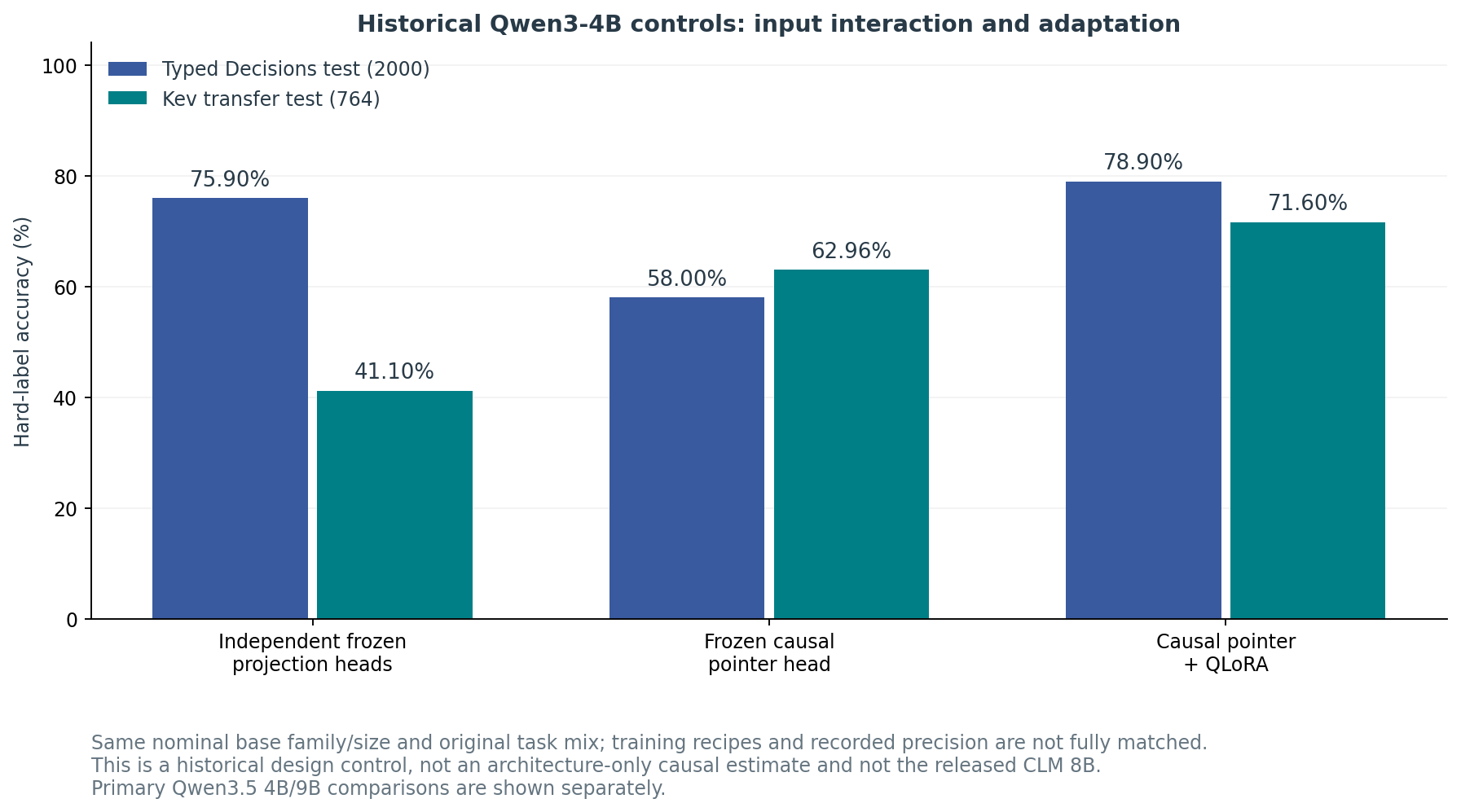
Download benchmarks/v0.2.1/architecture_control.png from yunicro/MiDM-9B-q35-e1-bx: direct link, hf CLI and curl.
- Browser
- Download file 123 kB
-
https://huggingface.co/yunicro/MiDM-9B-q35-e1-bx/resolve/main/benchmarks/v0.2.1/architecture_control.png
- Command line
-
hf download hf://yunicro/MiDM-9B-q35-e1-bx/benchmarks/v0.2.1/architecture_control.png
-
curl -L -o architecture_control.png https://huggingface.co/yunicro/MiDM-9B-q35-e1-bx/resolve/main/benchmarks/v0.2.1/architecture_control.png
123 kB

- Xet hash:
- 5ea3102c94ba0483a23e851ff328626008cb7652eb008ad798d87e98bb8d9583
- Size of remote file:
- 123 kB
- SHA256:
- 18e6afac826bda17ed80a7f0252f63c69109aeeca41026efbc50d01845b52746
·
Xet efficiently stores Large Files inside Git, intelligently splitting files into unique chunks and accelerating uploads and downloads. More info.